 AJ FORGE
 PC AssessorWindows · in development
Launch. Measure. Close. Verdict. Fix.
PC Assessor is a one-button test for a Windows gaming PC. It finds your games, launches the one you pick, measures the whole machine while you play, closes it, and comes back with a verdict a normal person can act on: the real ceiling, what's causing it, and the one or two settings worth changing. Then it can apply them.
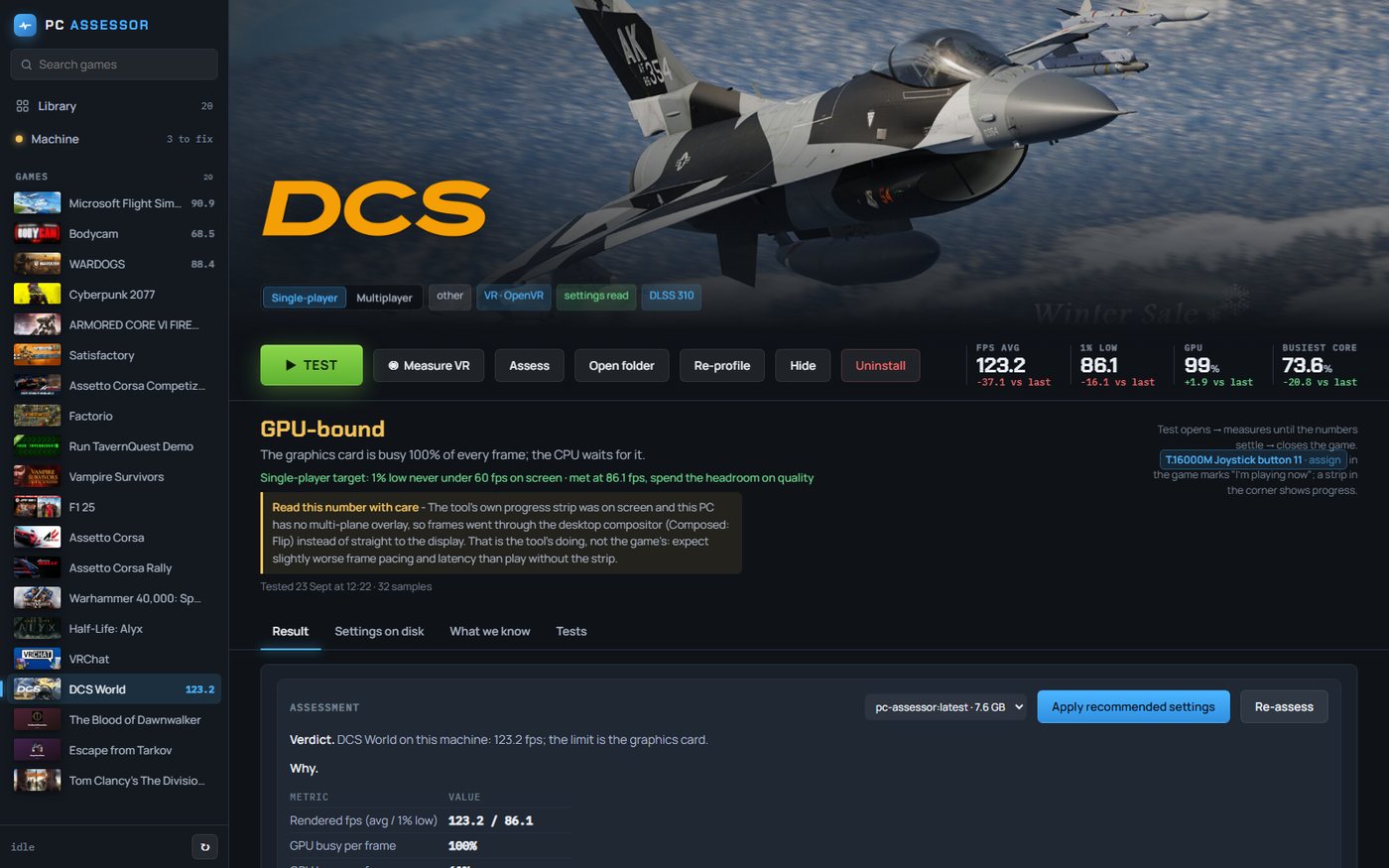
A launcher that tells you the truth about your machine.
Every screen below is a real capture from the current build, taken on the development PC on 23 September 2026. The numbers are that machine's actual results.
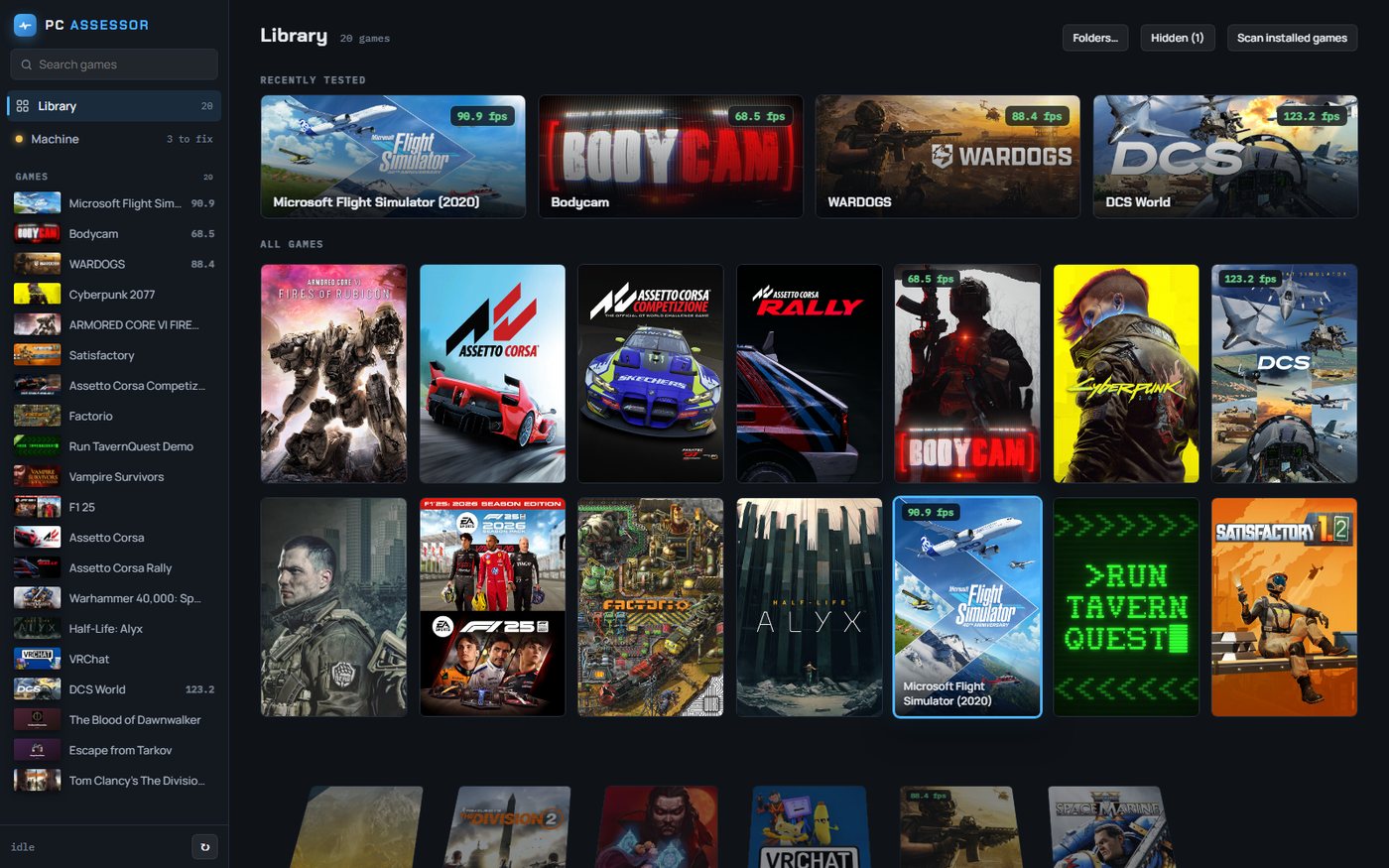
It finds your games and remembers every result
Scan once and every installed game appears with its artwork, engine, upscaler and anti-cheat already identified. Games you've tested carry their measured frame rate on the card, so the library doubles as your machine's scoreboard.
Steam artwork is cached locally. Non-Steam games get their own icon.
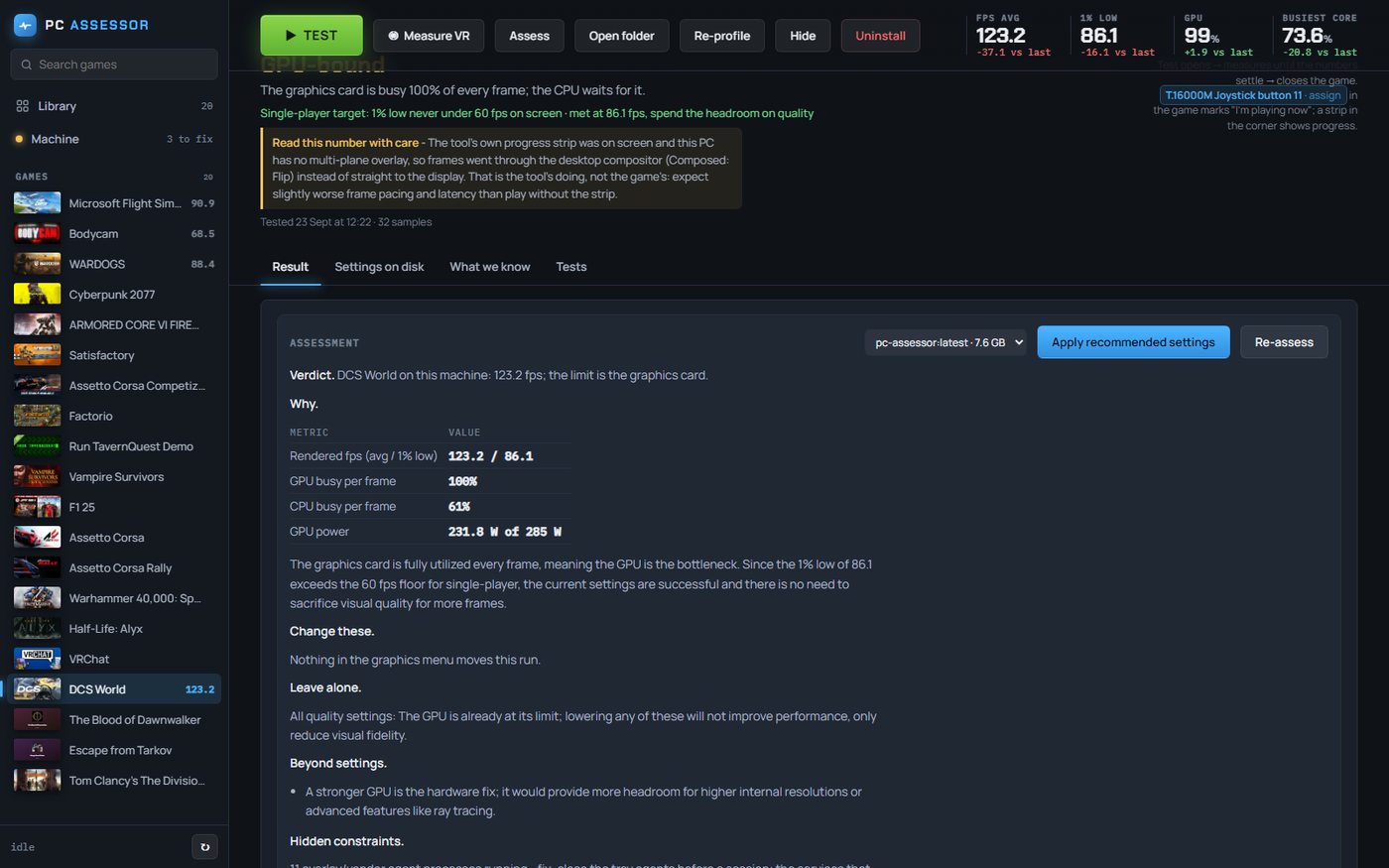
Verdict, why, and what to leave alone
One run produces a written assessment: the verdict in a sentence, the measurements behind it, what to change, what to leave alone, and what only hardware would fix. Here the card says the GPU is the limit, the 1% low clears the single-player target, and nothing in the graphics menu would move the result. So it says so, instead of inventing a tweak.
Written by a local model from the measured data. The report never leaves the PC.
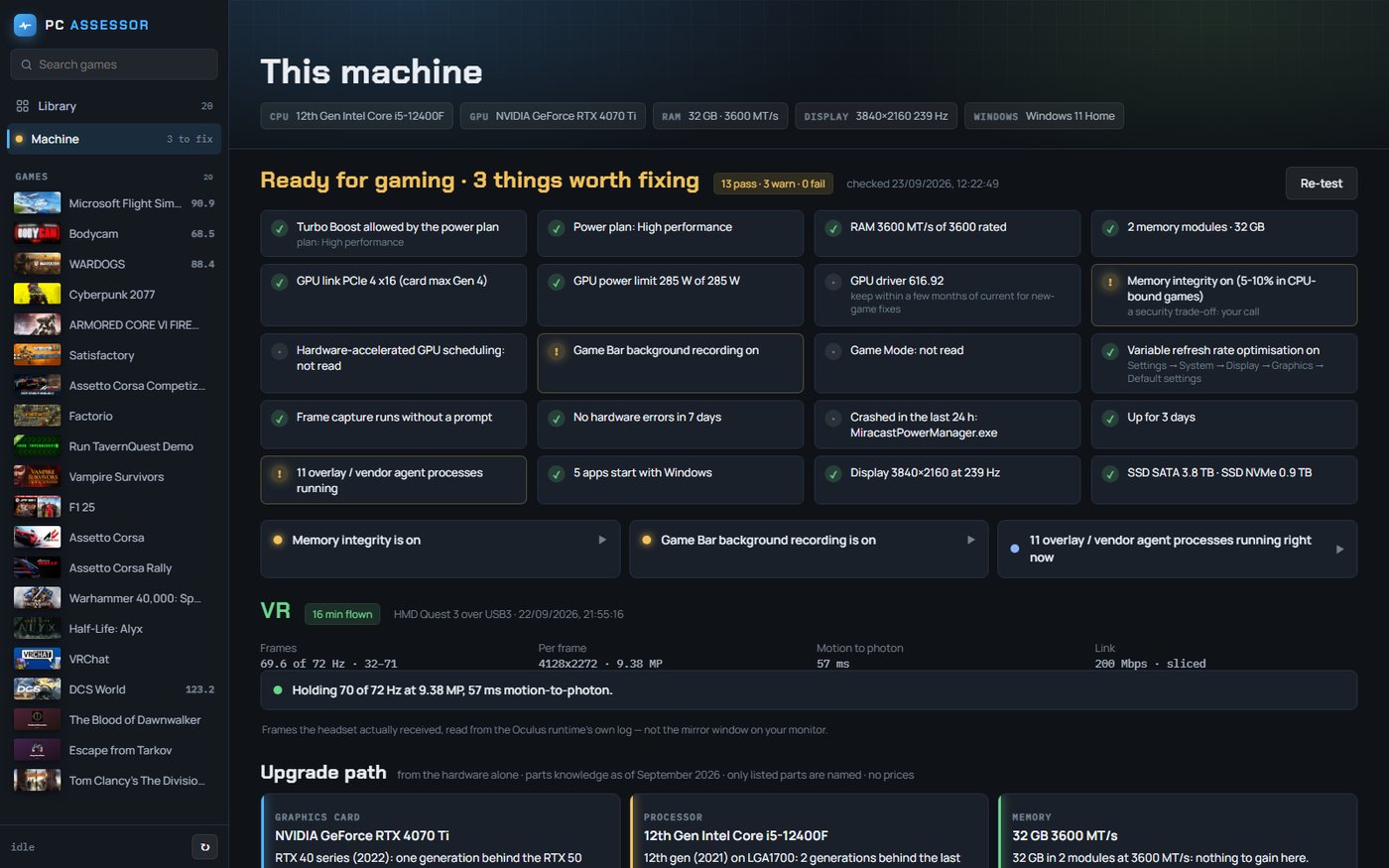
The machine check finds what the game can't tell you
Power plan, turbo, memory speed, PCIe link, driver age, background recording, overlay agents, recent crashes, uptime. Each one is a pass or a warning with the reason, and each warning opens into a fix that states its cost as well as its benefit. Memory integrity, for instance, is flagged as a security trade-off and left as your call.
VR results come from the headset runtime's own log, not the mirror window. The upgrade path names parts from the hardware alone, with no prices and no affiliate links.
Because "is my PC good enough?" has never had an honest answer.
Honest constraint: it can only measure games it can find and hook. Anti-cheat titles are measured from the outside, which is less precise, and the card says so. The tool's own on-screen strip can also cost a little frame pacing, and the app tells you when that happened.
Want it on your PC first?
Tell us what you play and what you think is wrong with your machine.